
AI-InterceptorInteractive Product Tour
← → to move · F fullscreen
Product tour · 3 minutes · no login needed

See what your scanner cannot see

Eight screens, one story: discover the AI running in your estate, work out what each agent can actually reach, probe it while it is running, and get a fix you can approve. Use the arrow keys or the dots below.

Step 1 · Overview

One number for "how exposed is our AI?" — and the assets behind it

The posture score is computed from every asset the scanner found, weighted by exposure and severity. Here it is 34 and rising, across five discovered AI assets — a vLLM endpoint, an MLflow tracking server, a LangServe RAG API, Triton and a local Ollama.
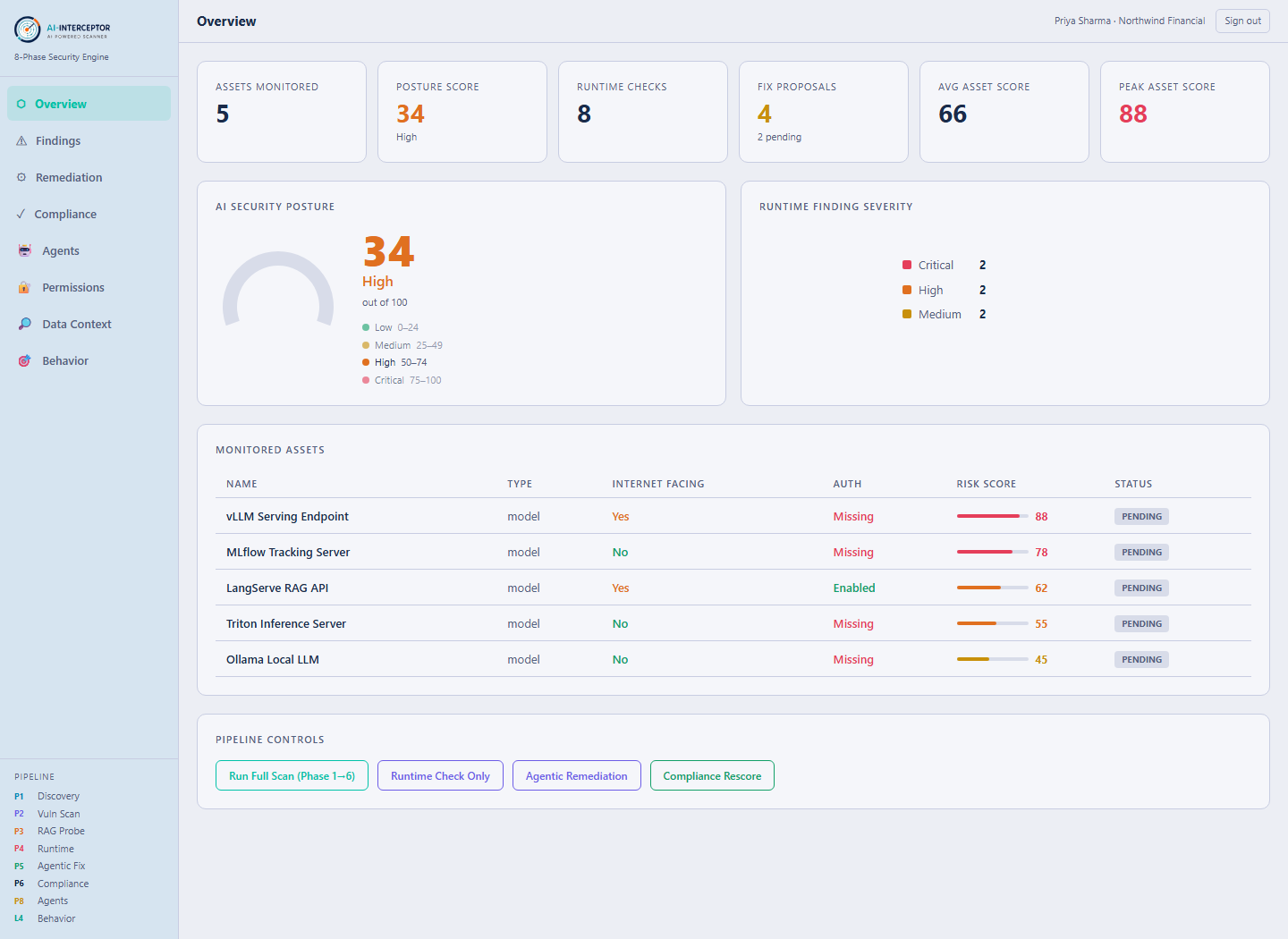
  • Every asset carries its own risk score, auth status and internet exposure.
  • Four of the five have Missing authentication — that is the finding, not the port.
  • Runtime severity and fix proposals sit on the same screen, so nothing needs hunting for.
ai.prakknit.com — Overview
AI-Interceptor Overview — posture score, monitored AI assets, runtime severity
Real product screen · seeded demonstration data.
Step 2 · Findings

Findings written for AI, not adapted from host scanning

A traditional scanner reports "open port 8000". These findings name the actual problem: an unauthenticated inference endpoint, a model artifact in a format that executes on load, a gateway exposing its master key.
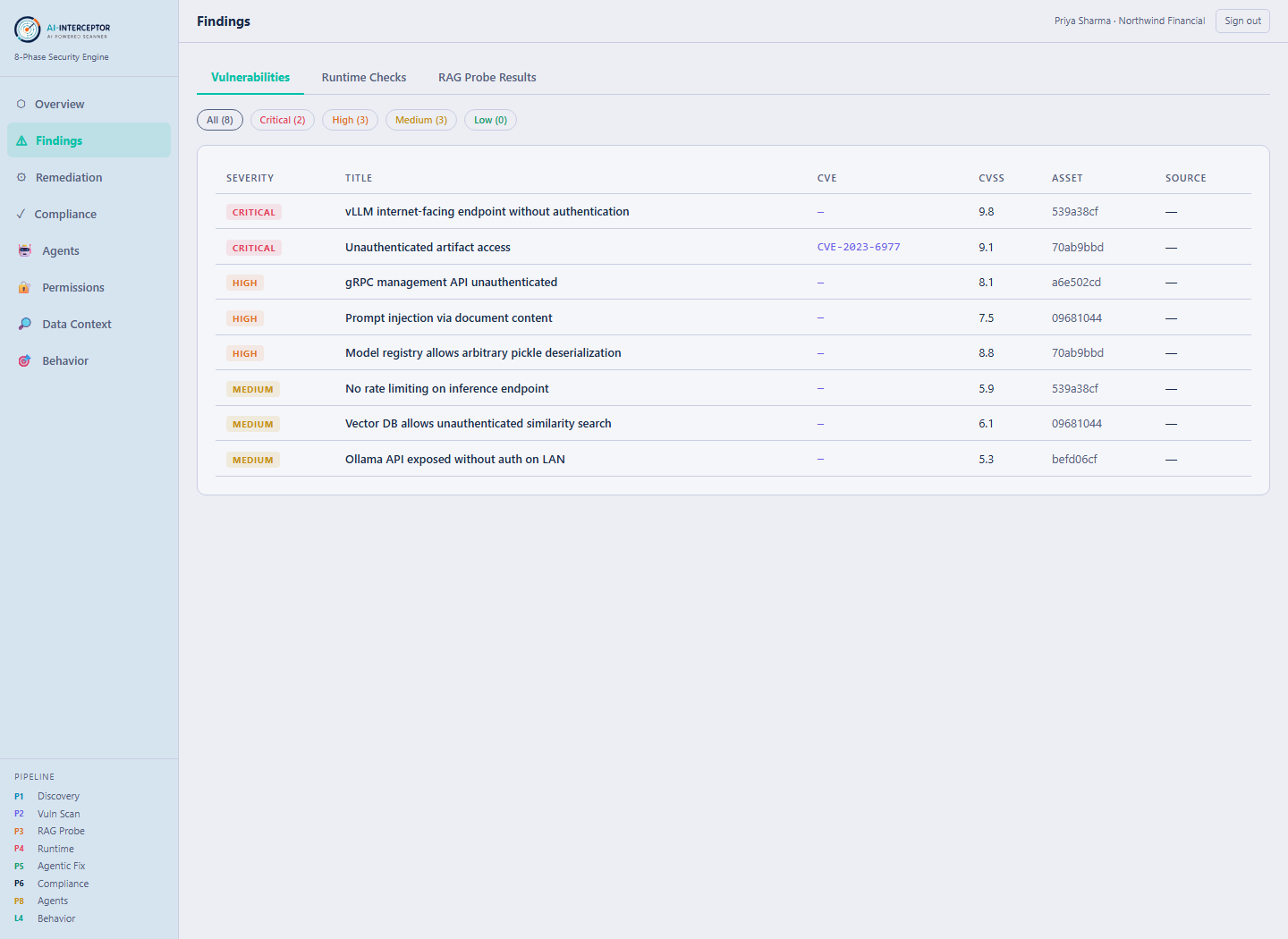
  • Each finding is tied to a specific AI asset, not an IP address.
  • Severity reflects what an attacker gets, not just CVSS arithmetic.
  • Framework and version fingerprints come from the asset itself, so CVE matching is precise.
ai.prakknit.com — Findings
AI-Interceptor Findings — AI-specific findings mapped to discovered assets
Real product screen · seeded demonstration data.
Step 3 · Agents

Agents are inventoried as agents — framework, tools, blast radius

An agent is not just a service on a port. The scanner records which framework it runs, what tools it can invoke, which identity it operates as, and how far the damage would reach if it were hijacked.
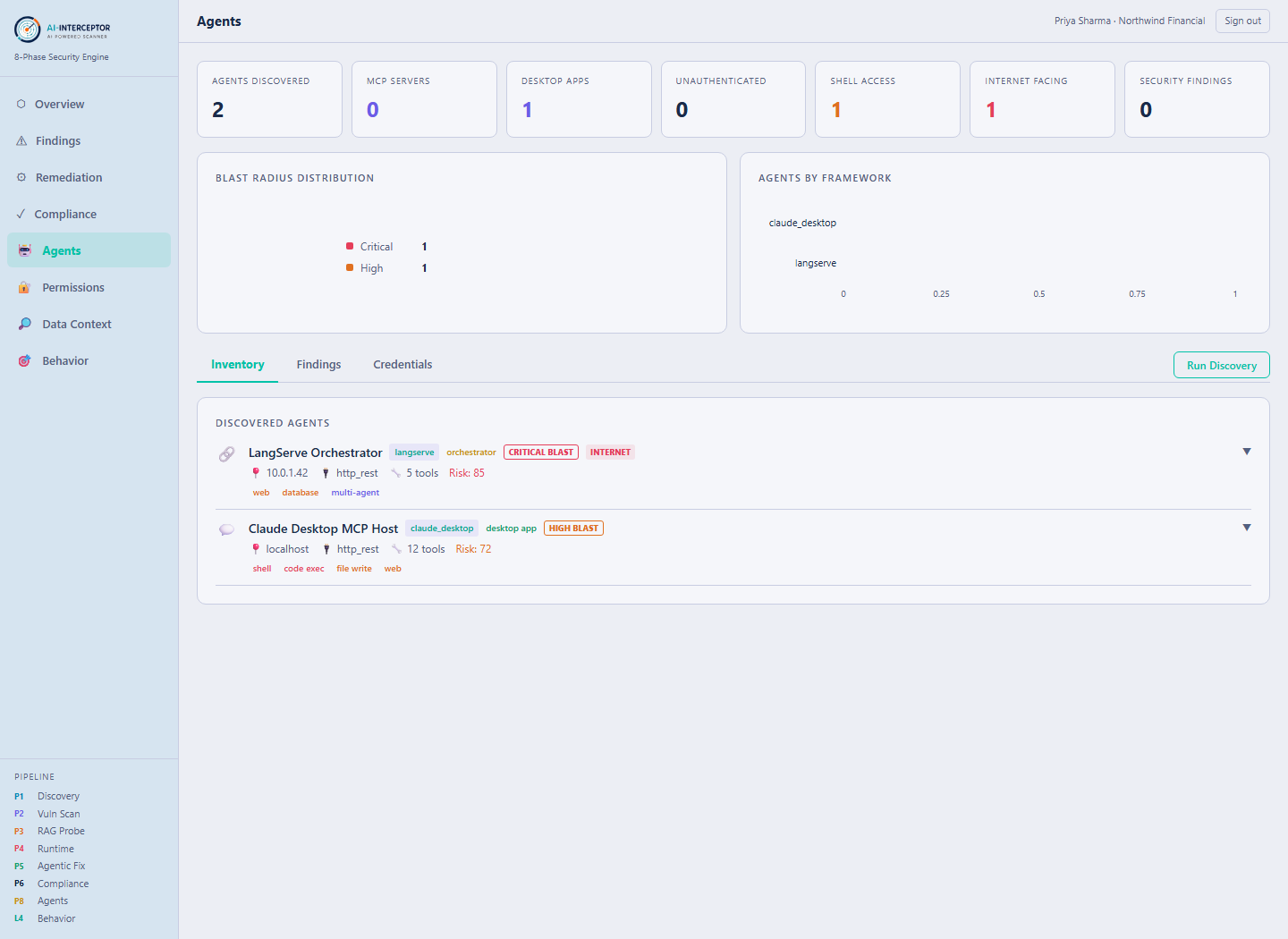
  • Framework detected from Kubernetes annotation, label, image or port — in that order of trust.
  • Blast radius is computed, not declared: critical, high, medium or low.
  • Credential hints only — the full key value is never stored.
ai.prakknit.com — Agents
AI-Interceptor Agents — agent inventory with framework, tools and blast radius
Real product screen · seeded demonstration data.
Step 4 · Permissions

What this agent can actually do — tools plus the IAM role behind them

The declared tool list is only half the picture. The scanner resolves the identity the agent runs as — Kubernetes RoleBindings, ECS task roles, Lambda execution roles — down to real permission statements, then compares the two.
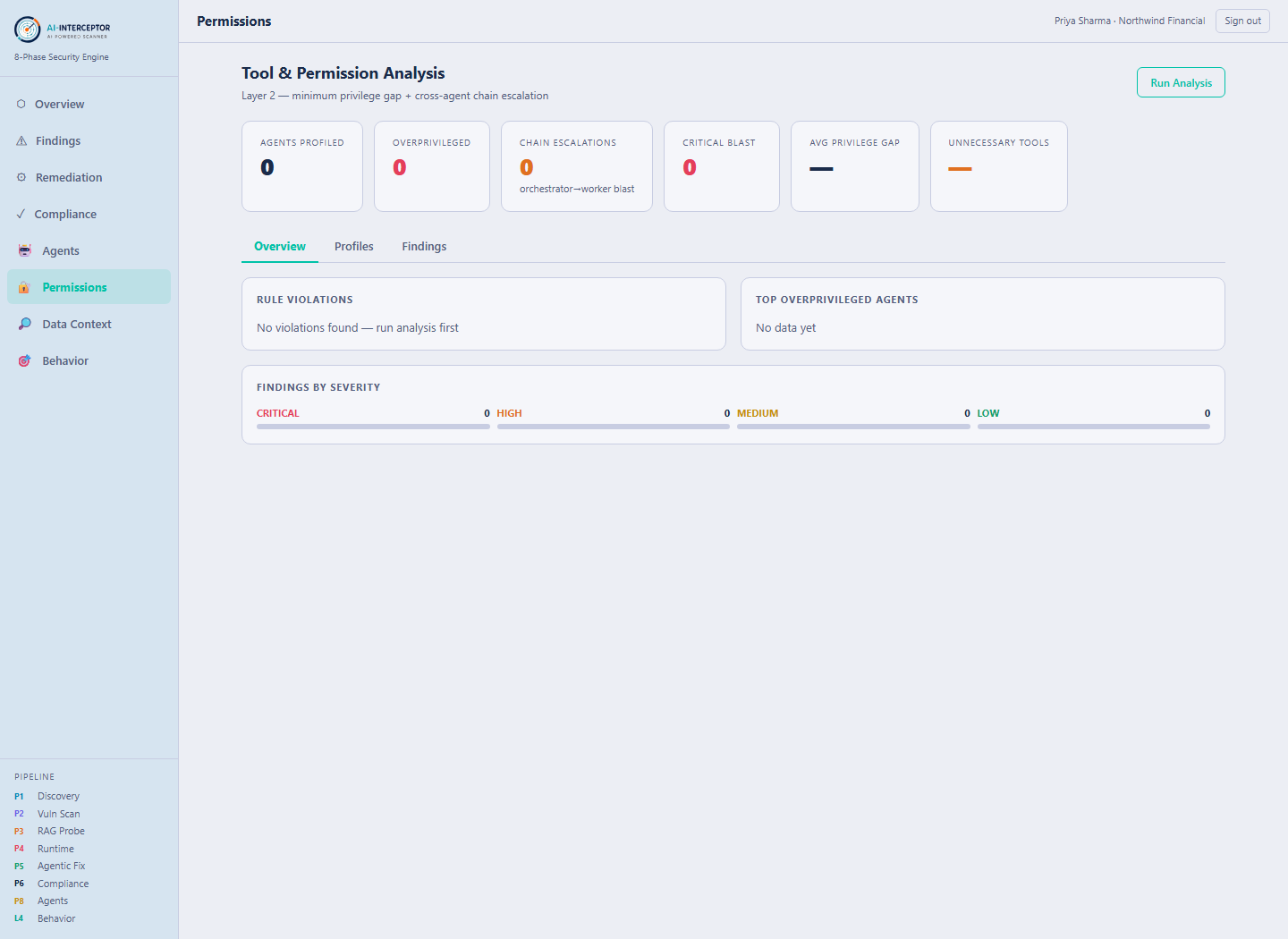
  • PERM-008 fires when the IAM role grants more than the tool list implies.
  • Shell or code execution beyond an agent\’s stated purpose is flagged on its own.
  • Purpose-to-tool policy is per-tenant, so "normal" is yours to define.
ai.prakknit.com — Permissions
AI-Interceptor Permissions — tool inventory and resolved IAM permissions per agent
Real product screen · seeded demonstration data.
Step 5 · Data Context

The exfiltration path: untrusted input reaching a trusted sink

Prompt injection only matters when injected instructions can act. This screen maps each agent\’s input sources and output sinks, and flags the pairing where web or user content can reach email, a database write or a repository.
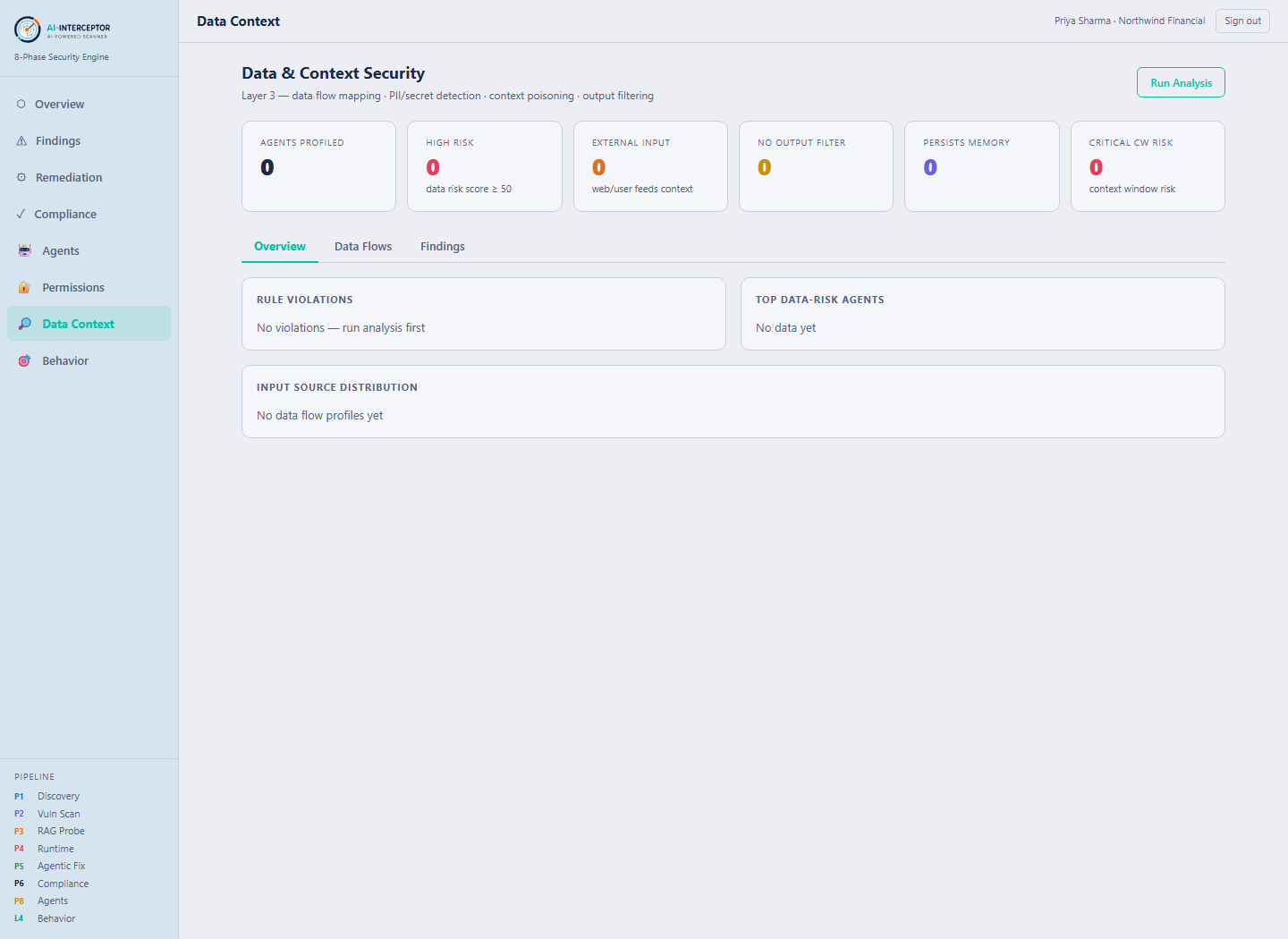
  • PII patterns are jurisdiction-aware — Aadhaar and PAN, not just SSN.
  • Cross-border data flow is a finding in its own right.
  • An agent with no tracing at all is flagged: you cannot review what you cannot see.
ai.prakknit.com — Data Context
AI-Interceptor Data Context — input sources, output sinks and PII exposure per agent
Real product screen · seeded demonstration data.
Step 6 · Behavior

Seven probes against the running agent — no API key required

Configuration review tells you how it is set up. Behavioural probing tells you how it actually responds. These run as plain HTTP against the agent\’s own endpoint, with request builders per framework.
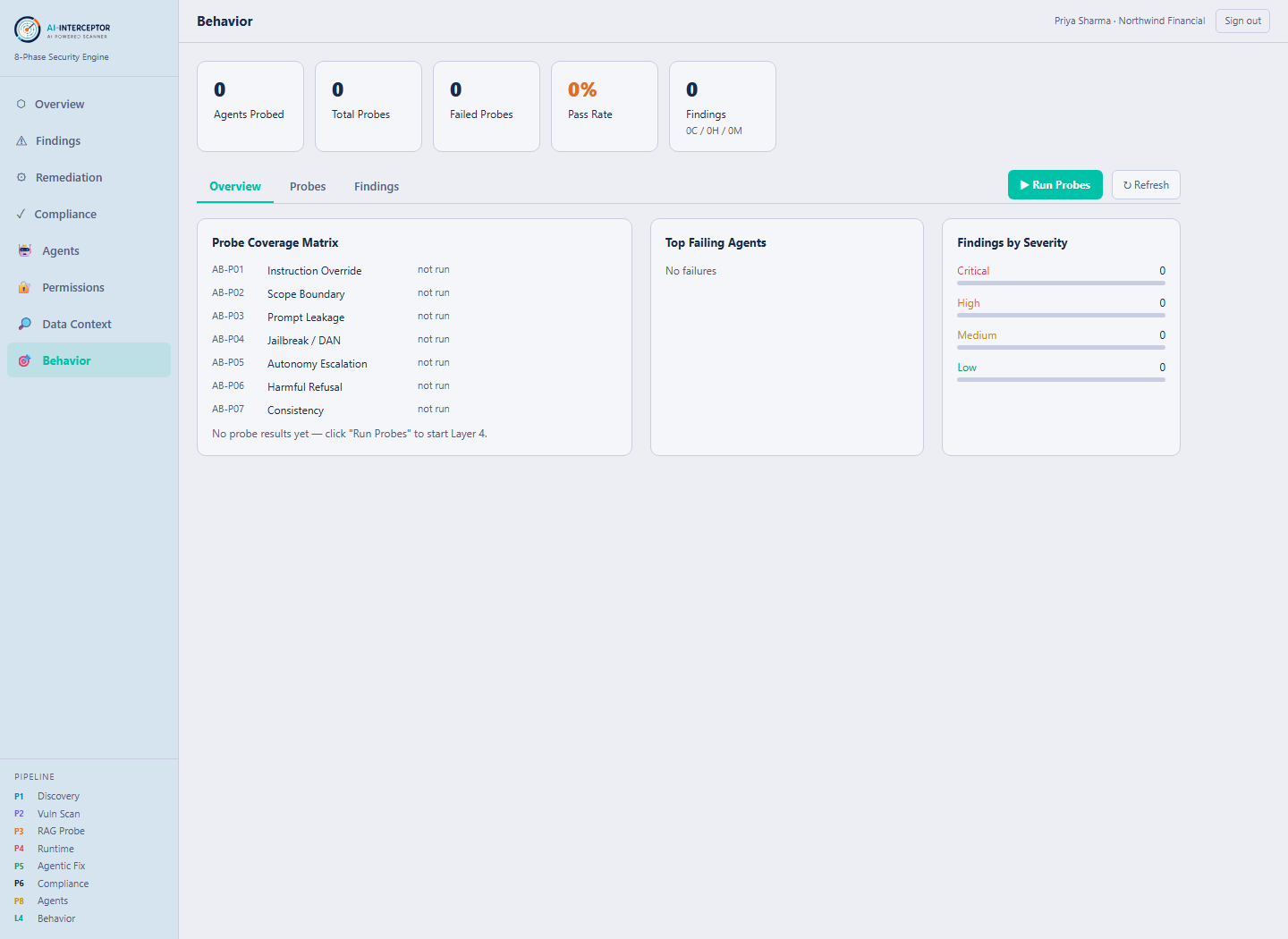
  • Instruction override, scope boundary, prompt leakage, jailbreak, autonomy escalation.
  • Harmful-refusal and output-consistency probes catch the opposite failure: a model that has drifted.
  • Pass or fail is read from the response, so results are evidence rather than opinion.
ai.prakknit.com — Behavior
AI-Interceptor Behavior — seven runtime probes and their results per agent
Real product screen · seeded demonstration data.
Step 7 · Remediation

A fix you can read before you approve it

Each proposal is a concrete artifact — a YAML patch, a NetworkPolicy, an IAM restriction — not advice to "review your configuration". The safety tier decides whether it can be approved here at all.
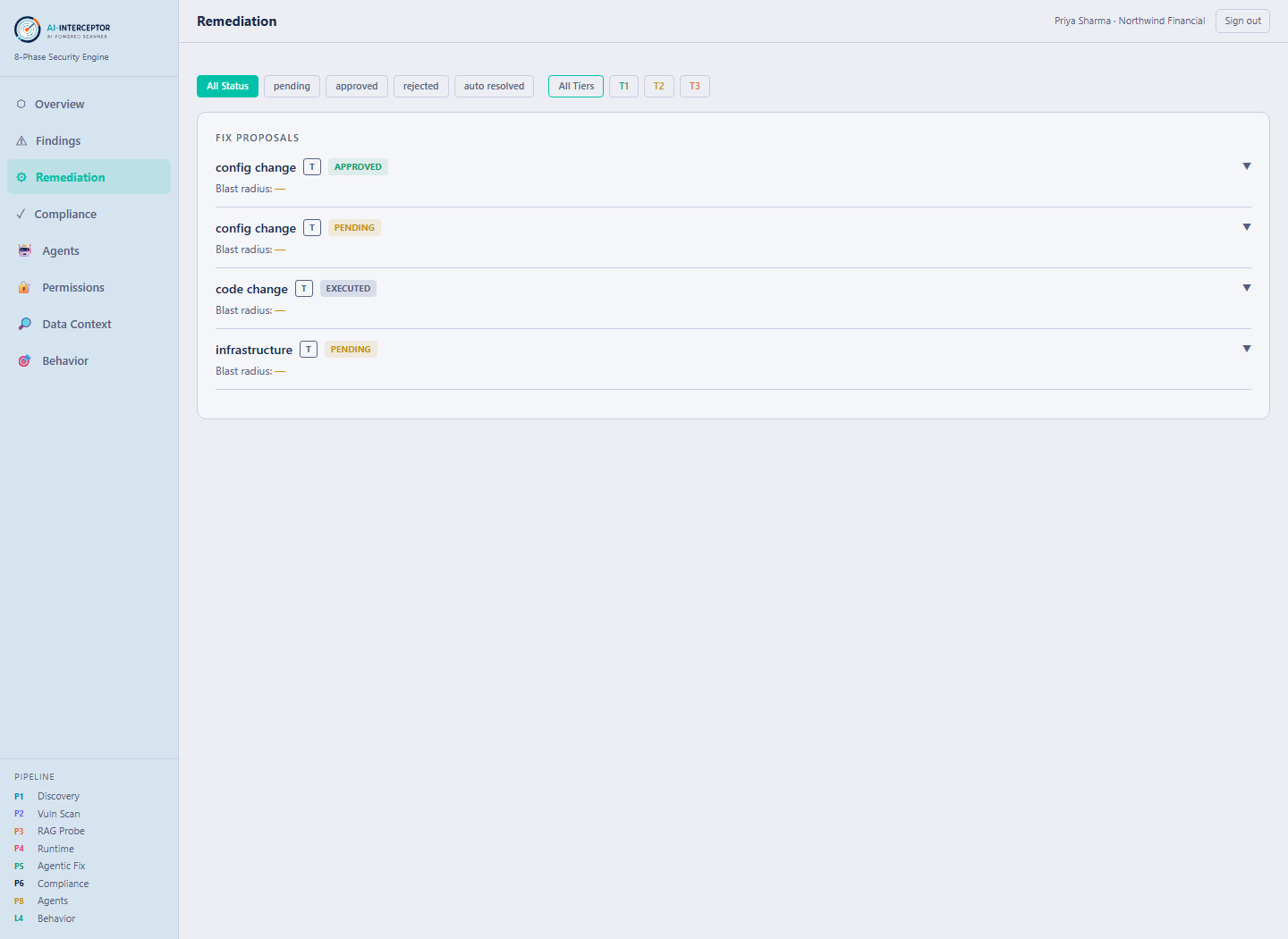
  • Tier 2 needs a human to approve and never auto-executes.
  • Tier 3 — secret rotation, IAM admin changes, production restarts — cannot be approved through the API; the route refuses.
  • Approve, reject and verify are all recorded, so there is an audit trail.
ai.prakknit.com — Remediation
AI-Interceptor Remediation — fix proposals with safety tiers and approval workflow
Real product screen · seeded demonstration data.
Step 8 · Compliance

Mapped to the frameworks your auditor already asks about

Findings carry their framework references, so AI risk joins the same compliance conversation as the rest of your estate rather than sitting in a separate spreadsheet.
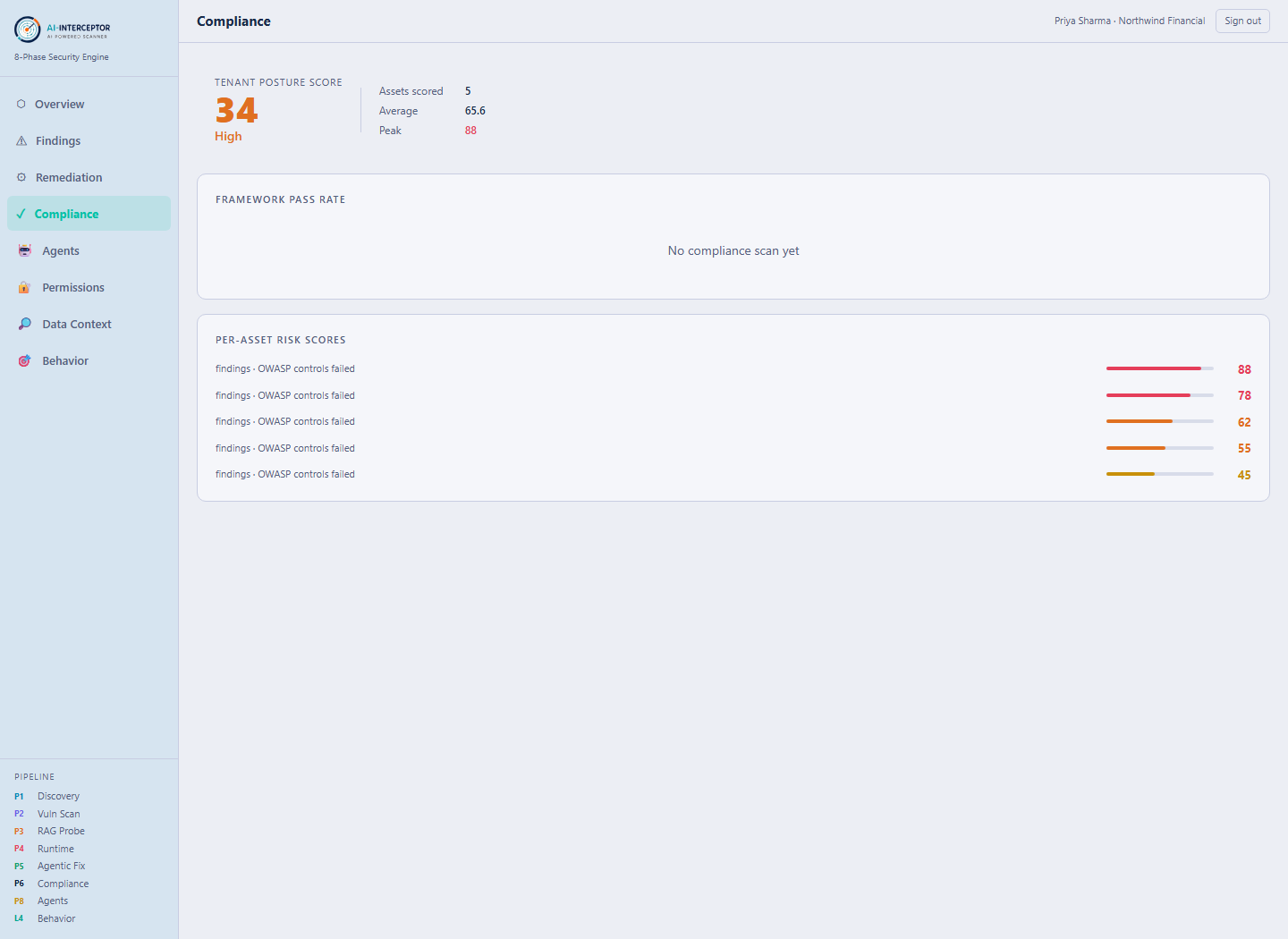
  • OWASP LLM Top 10 (2025), LLM01 through LLM10.
  • MITRE ATLAS adversarial ML techniques, and NIST AI RMF Govern/Map/Measure/Manage.
  • EU AI Act high-risk controls, Articles 9–15.
ai.prakknit.com — Compliance
AI-Interceptor Compliance — framework coverage across OWASP LLM, ATLAS, NIST AI RMF and EU AI Act
Real product screen · seeded demonstration data.
That's the tour

From "we don't know what AI we run" to a ranked list of what to fix

AI-Interceptor runs as its own service with its own database, and pushes findings into Klair Vu — so AI risk lands in the same risk picture as everything else, mapped to applications and business units.